Payslip VS Complete Paystubs
Always seeing “Details Not Displayed” and never understanding why?
You’re likely only viewing the payslip version of your paystub which is just the one page view. It’s understandable considering that’s the default on workday! Did you know there is another way to view your COMPLETE paystub? The complete paystub is usually 2-3 pages and displays all your details. Please see instructions below.
The first step is by viewing workday on a computer.
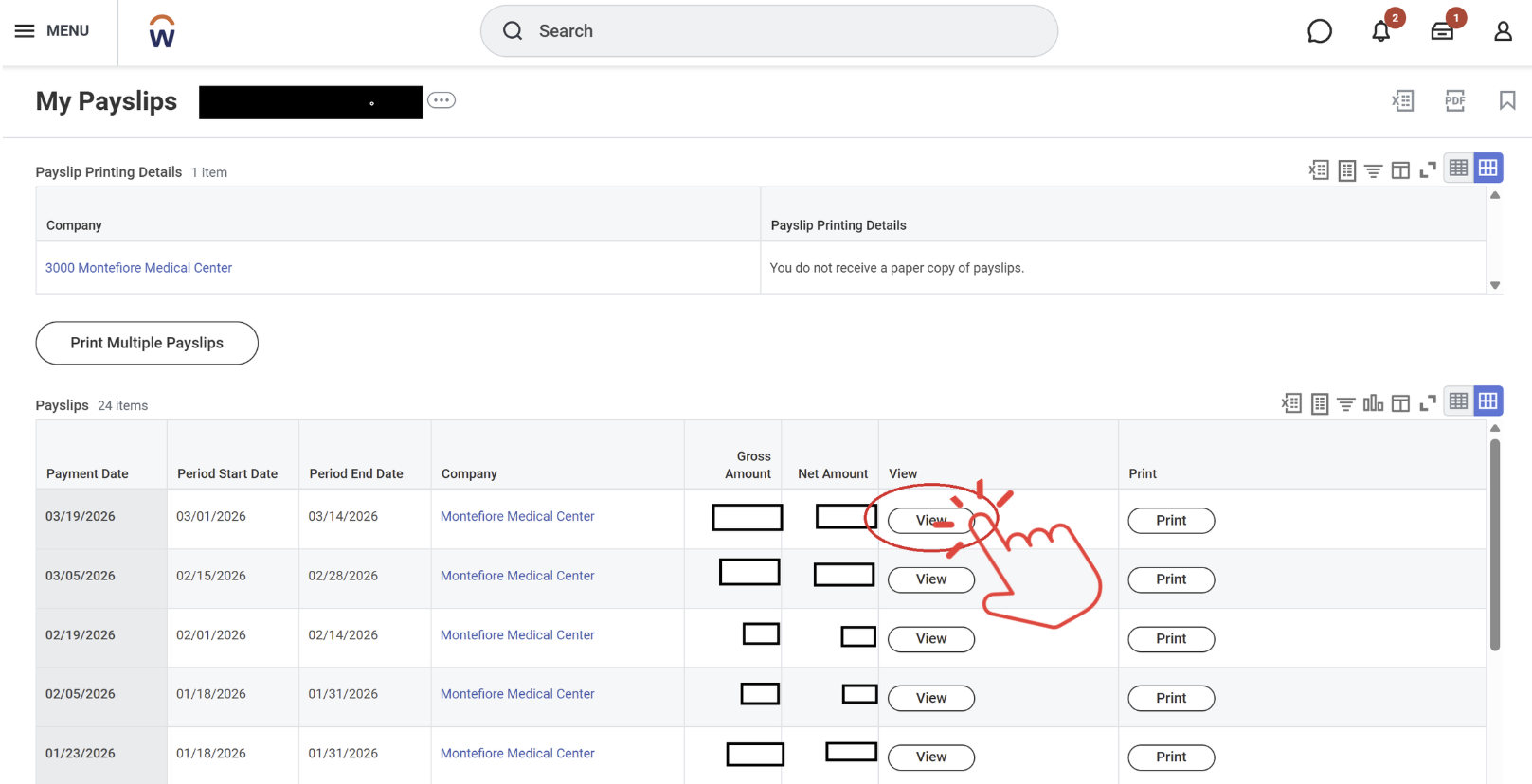
You need to click on “view” for the pay period in question (please see the photo below).
Then you need to locate the “PDF” button on the right corner of the page (please see image below).
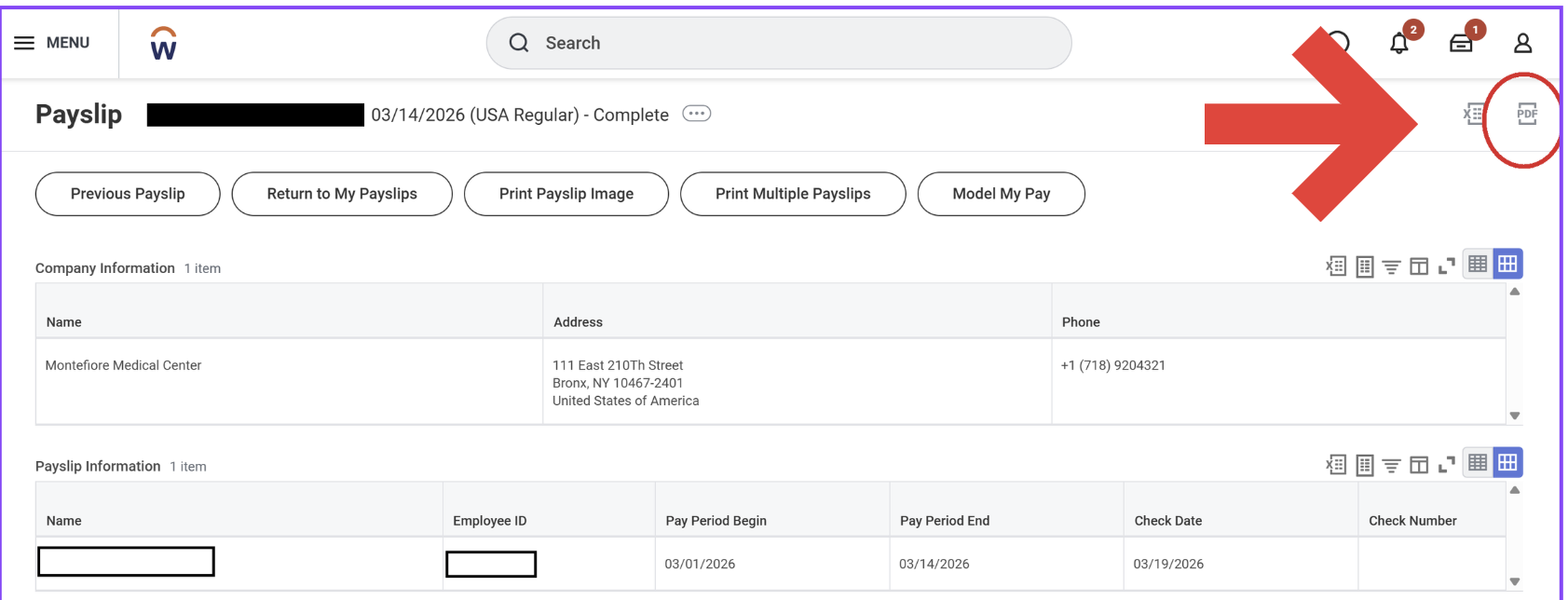
This will create a PDF for you to download for your records!