Nursing Education Reimbursement: Process and Best Practices
(DATA PROVIDED BY MONTEFIORE JULY 2026)
The information being shared is DIRECTLY from the document provided by management. 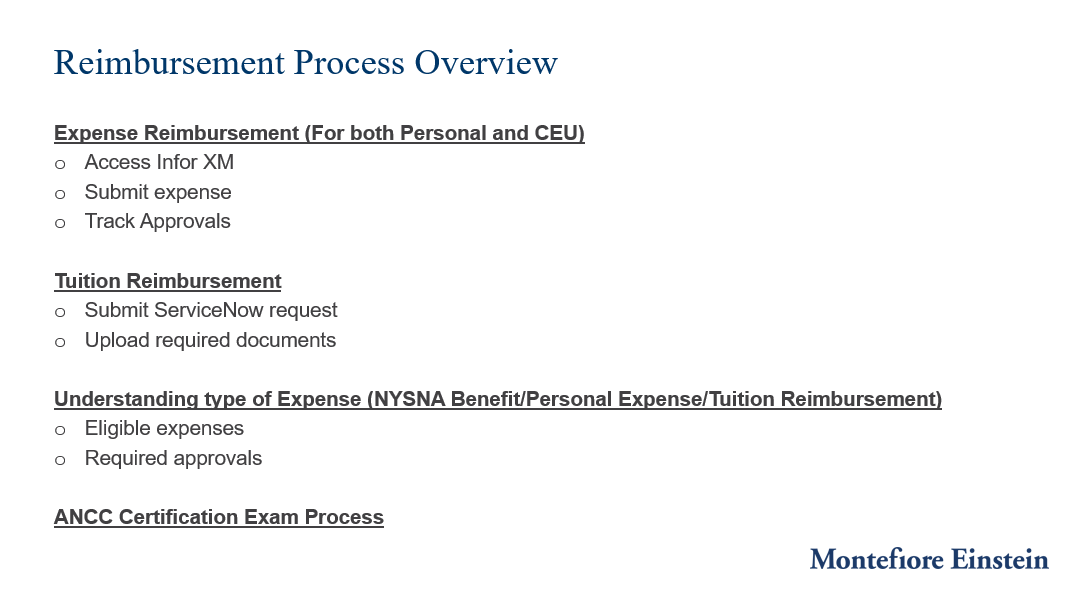
What is the expense related to? If it's related to an approved NYSNA benefit or activity, follow the NYSNA reimbursement process. If you're requesting tuition reimbursement, submit a ServiceNow ticket. If it's another approved business expense, it should be submitted through Infor XM. Choosing the correct category will ensure your request is routed appropriately.
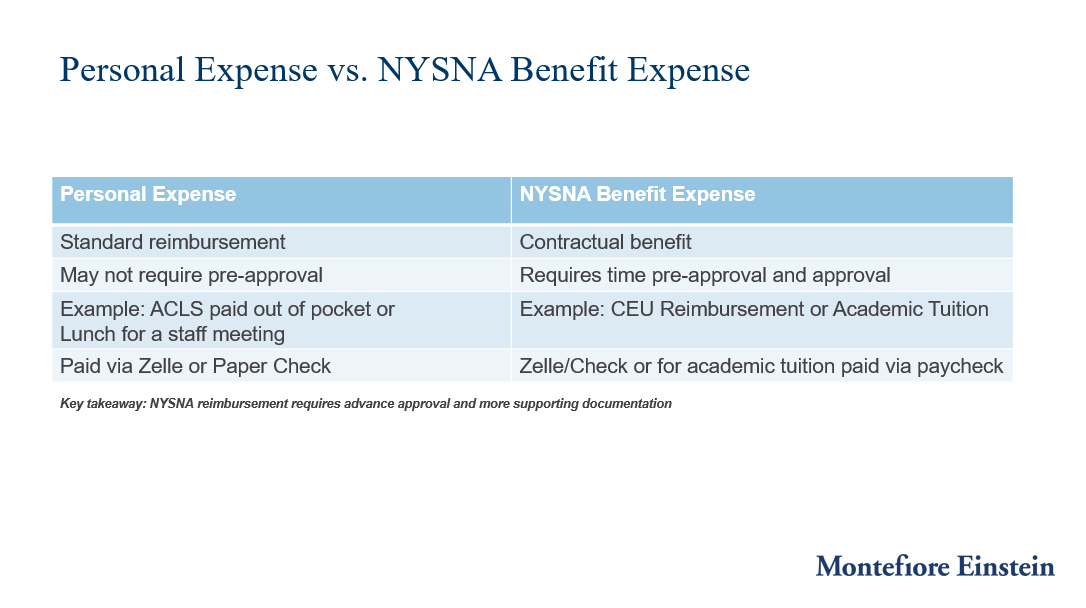
Although both involve reimbursement, NYSNA benefit expenses and personal expenses are processed differently.
NYSNA benefits are contractual benefits and generally require pre-approval as well as additional supporting documentation.
Personal expenses are standard reimbursement requests and typically follow the Infor XM approval workflow.
Understanding the difference helps prevent delays and ensures requests are submitted correctly.
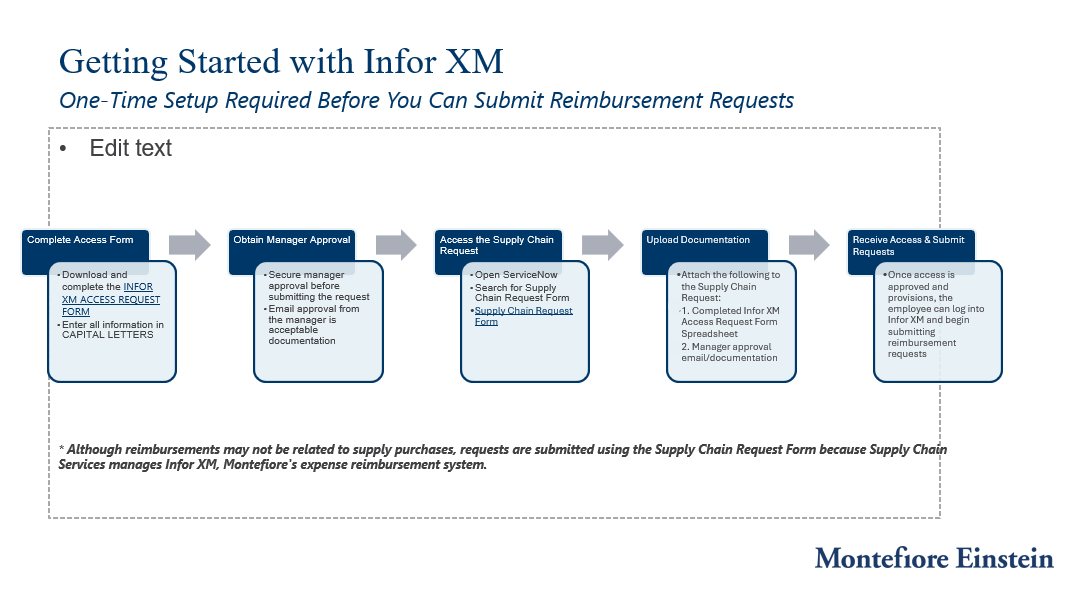
Before you can submit reimbursement requests in Infor XM, you must first have an active Infor XM profile. This is a one-time setup process.
You'll complete the access request form, obtain manager approval, submit a Supply Chain Request through ServiceNow, upload your documentation, and wait for access to be provisioned.
Once access is established, you can begin submitting reimbursement requests through Infor XM
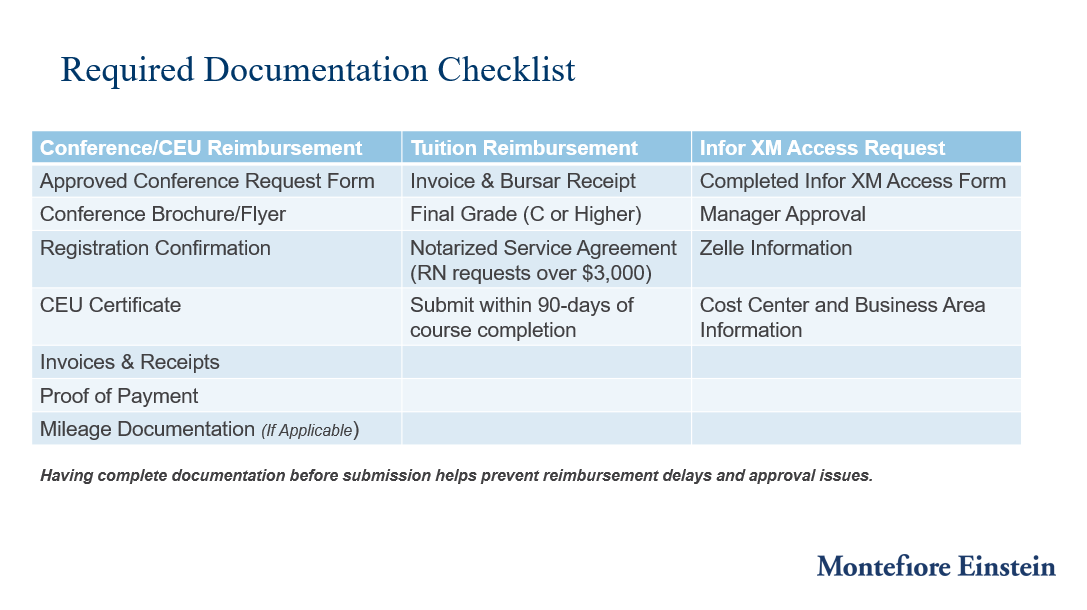
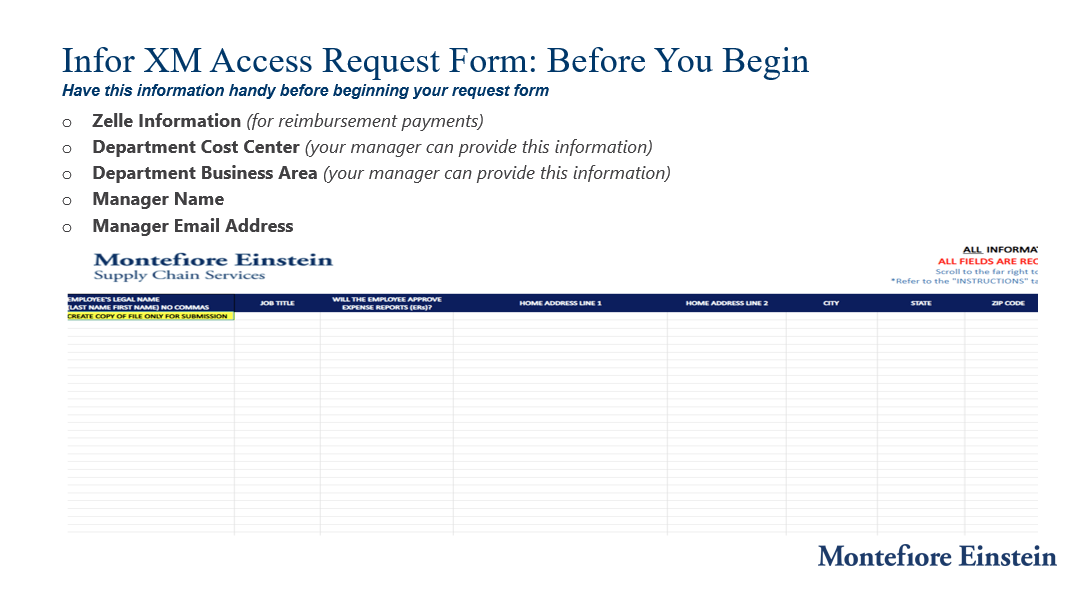
Before completing the access request form, gather all required information.
This includes your Zelle information, manager information, department cost center, and business area. Your manager can provide the cost center and business area information if needed. Having this information available before starting will help prevent delays in processing your access request.
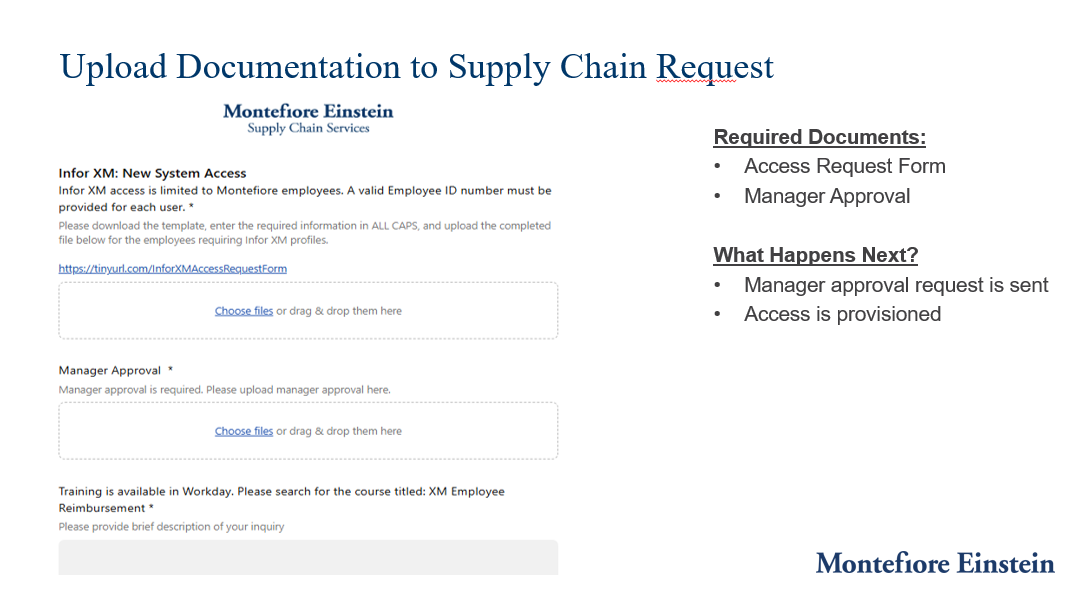
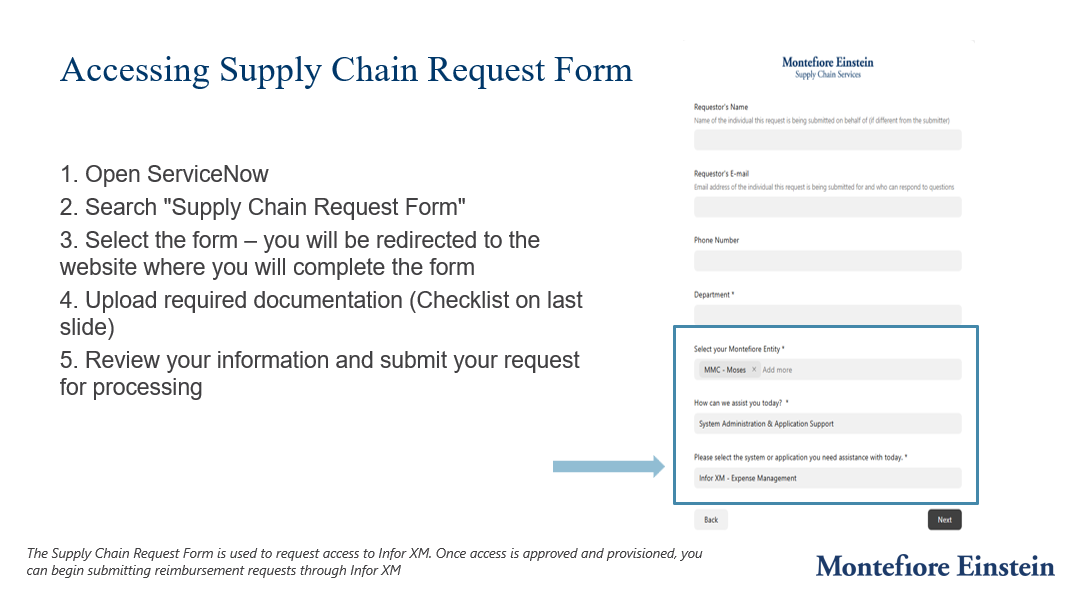
Once your access request form has been completed and approved by your manager, log into ServiceNow and search for the Supply Chain Request Form. This form is used to request access to Infor XM because Supply Chain Services manages the Infor XM system. Upload your required documentation and submit the request for review.
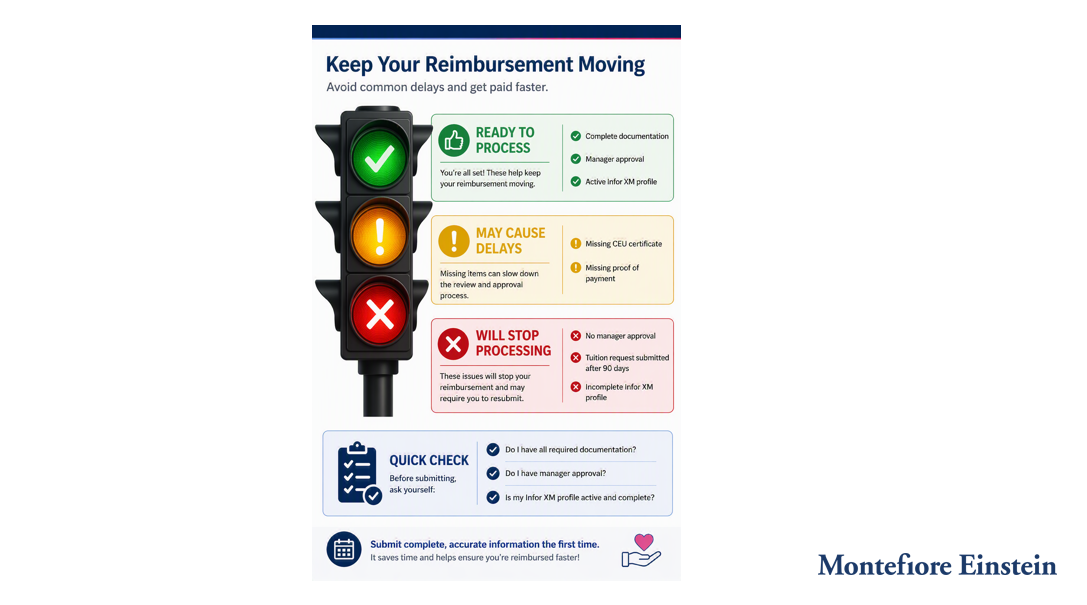
When submitting your Supply Chain Request, be sure to attach both required documents: your completed Infor XM Access Request Form and manager approval documentation. Missing documentation is one of the most common reasons requests are delayed. Once your request is reviewed and approved, your Infor XM access will be provisioned.
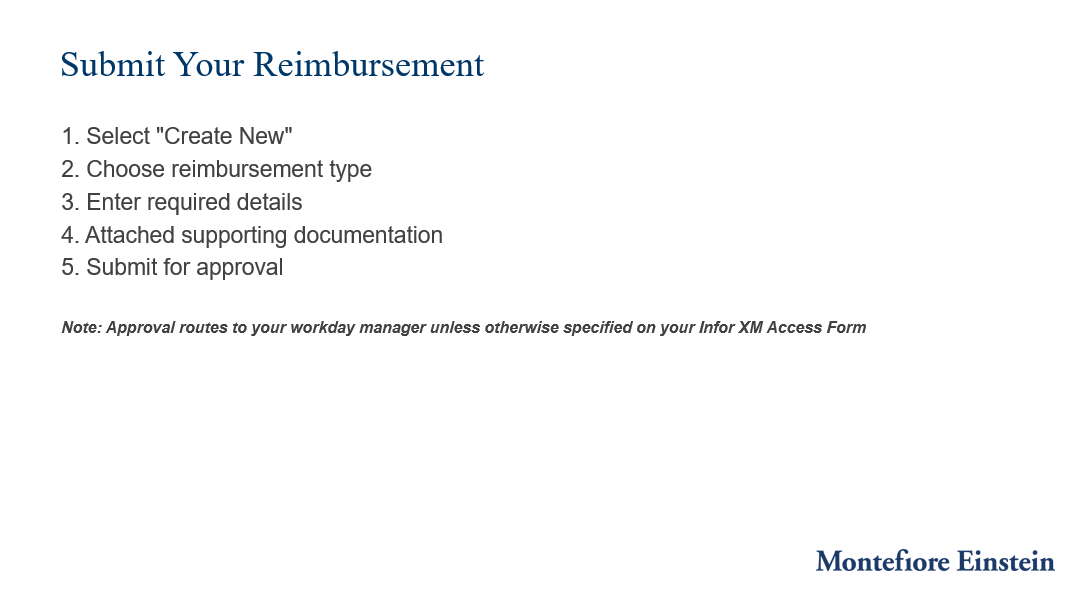
After access has been granted, you can log into Infor XM and begin submitting reimbursement requests. Select 'Create New,' choose the appropriate reimbursement type, enter all required information, attach supporting documentation, and submit for approval. Unless otherwise specified on your access form, reimbursement requests will route to your Workday manager for approval.
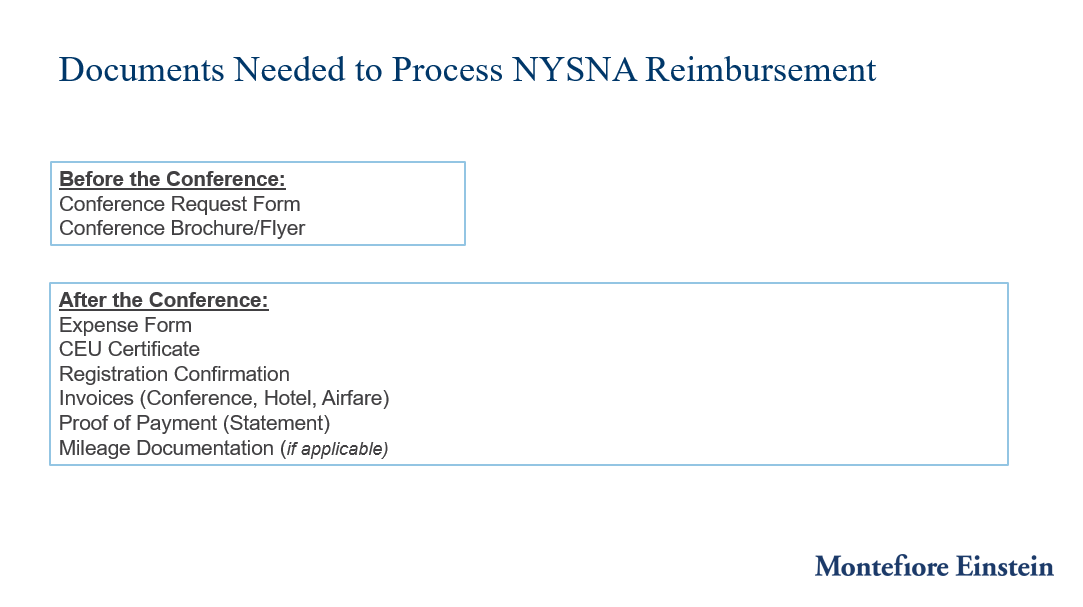
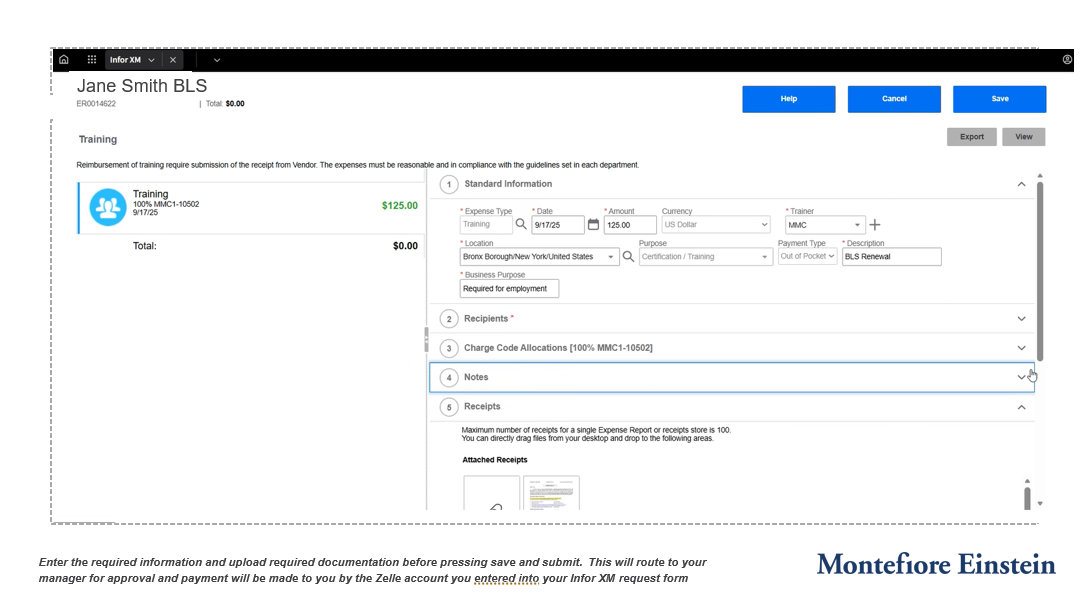
When submitting your reimbursement request, carefully review all information before selecting Save and Submit. Incomplete information or missing documents may delay processing.
Once approved, reimbursement payments will be issued using the payment information provided during your Infor XM profile setup. Remember that approvals route through the designated approver identified in your Infor XM setup
Manager will be the manager listed in Workday if not otherwise stated on Infor Request Form
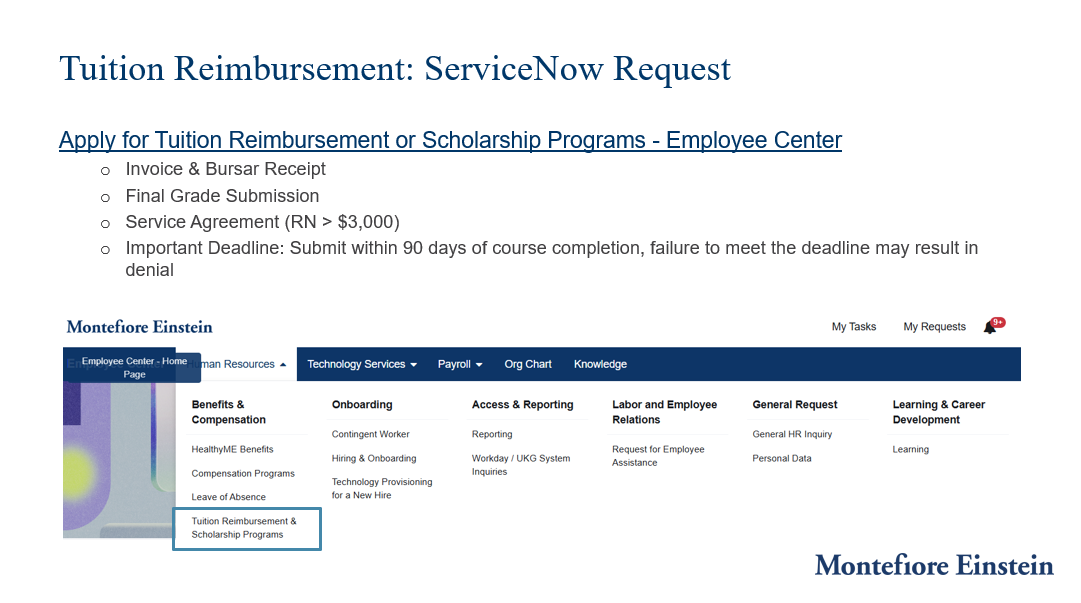
Tuition reimbursement follows a separate process and is submitted through a ServiceNow request rather than Infor XM.
After completing your course, you'll need to submit the required documentation, including invoices, bursar receipts, and final grades.
For RN tuition requests greater than $3,000, a completed and notarized service agreement is also required.
Most importantly, all documents must be submitted within 90 days of course completion to remain eligible for reimbursement.