Email: UKG vs Workday
UKG is where your hours are recorded.
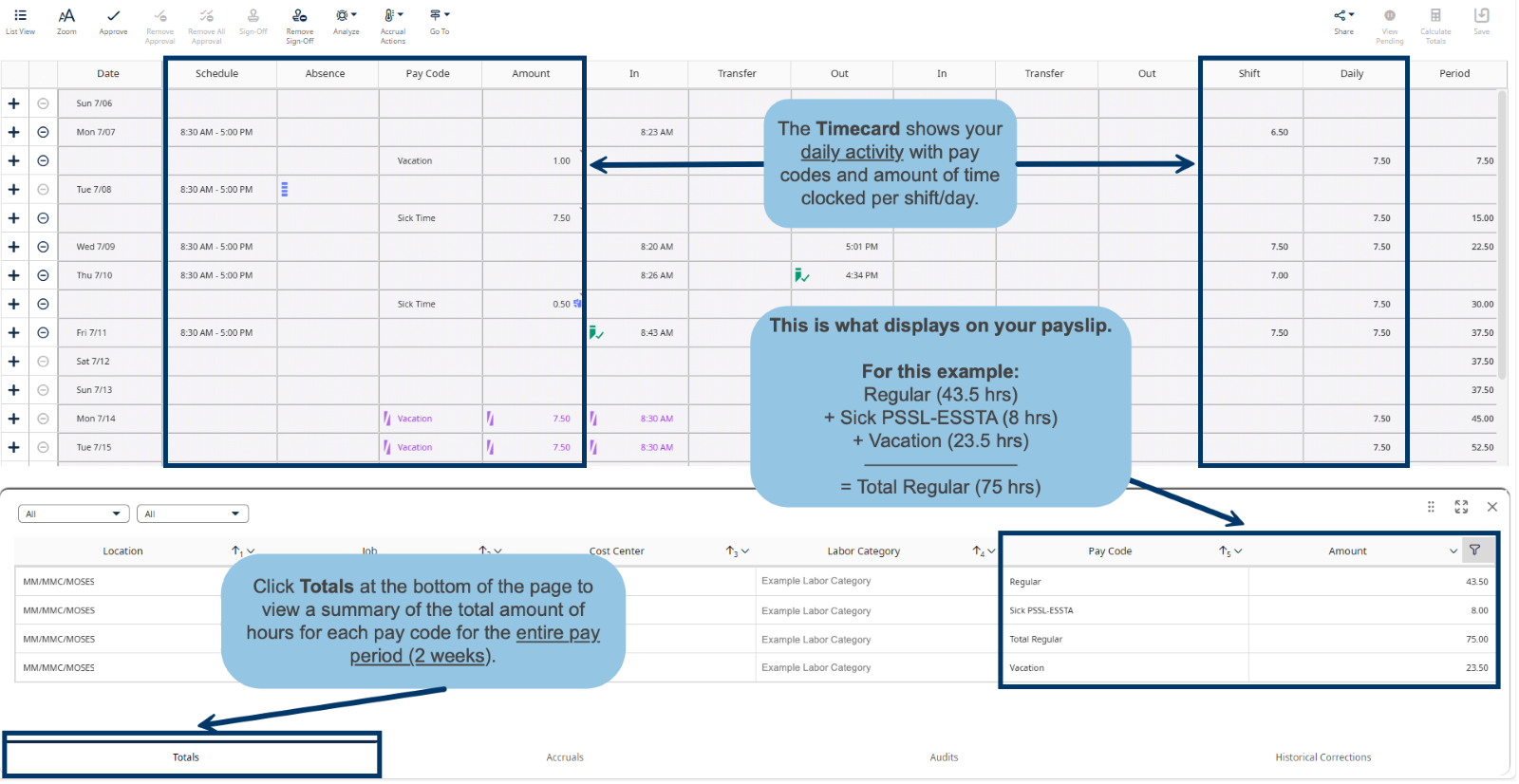
In your UKG timecard, go to the Schedule section (see image below) to see time codes for each day worked during a pay period.
Scroll to the bottom Totals section to view the total hours worked for each pay code.
These same pay codes and totals will appear on your Workday payslip
Workday: About Your Payslip
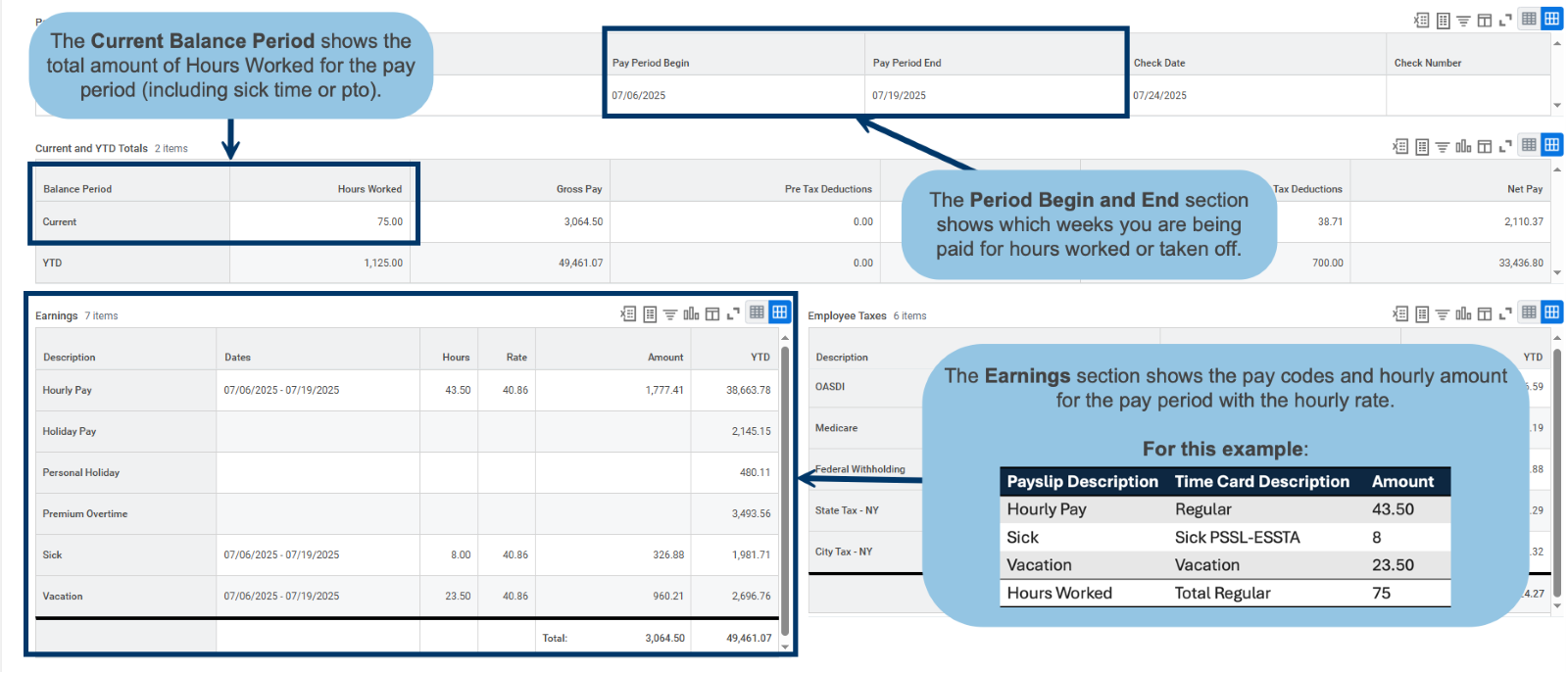
Pay periods are biweekly, in this example, the total hours worked for 2 weeks is 75 hours (see image below).
Workday displays your gross pay, deductions, taxes, and net pay, just like before—just in a new format.
ATTENDANCE CONTROL REPORT:
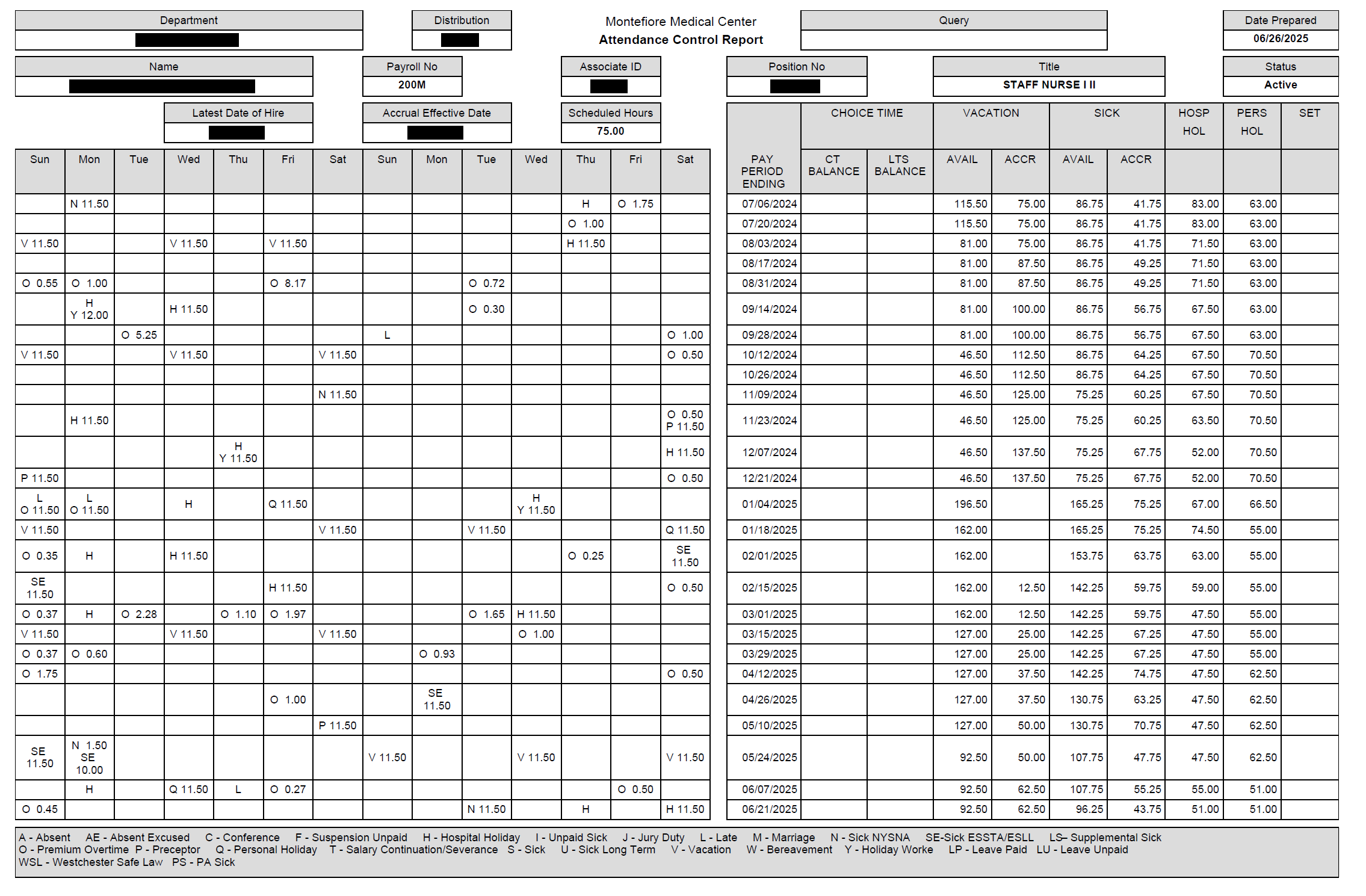
Please check your Monte email for your last attendance control report. Email it to your personal account and/or print it for your records.
This is a useful document to use to compare and ensure the new system has collated your time accurately. Many members have reported incorrect accruals since the transition to the new programs.
We will no longer receive attendance control reports.
Payslip VS Complete Paystubs
Always seeing “Details Not Displayed” and never understanding why?
You’re likely only viewing the payslip version of your paystub which is just the one page view. It’s understandable considering that’s the default on workday! Did you know there is another way to view your COMPLETE paystub? The complete paystub is usually 2-3 pages and displays all your details. Please see instructions below.
The first step is by viewing workday on a computer.
You need to click on “view” for the pay period in question (please see the photo below).
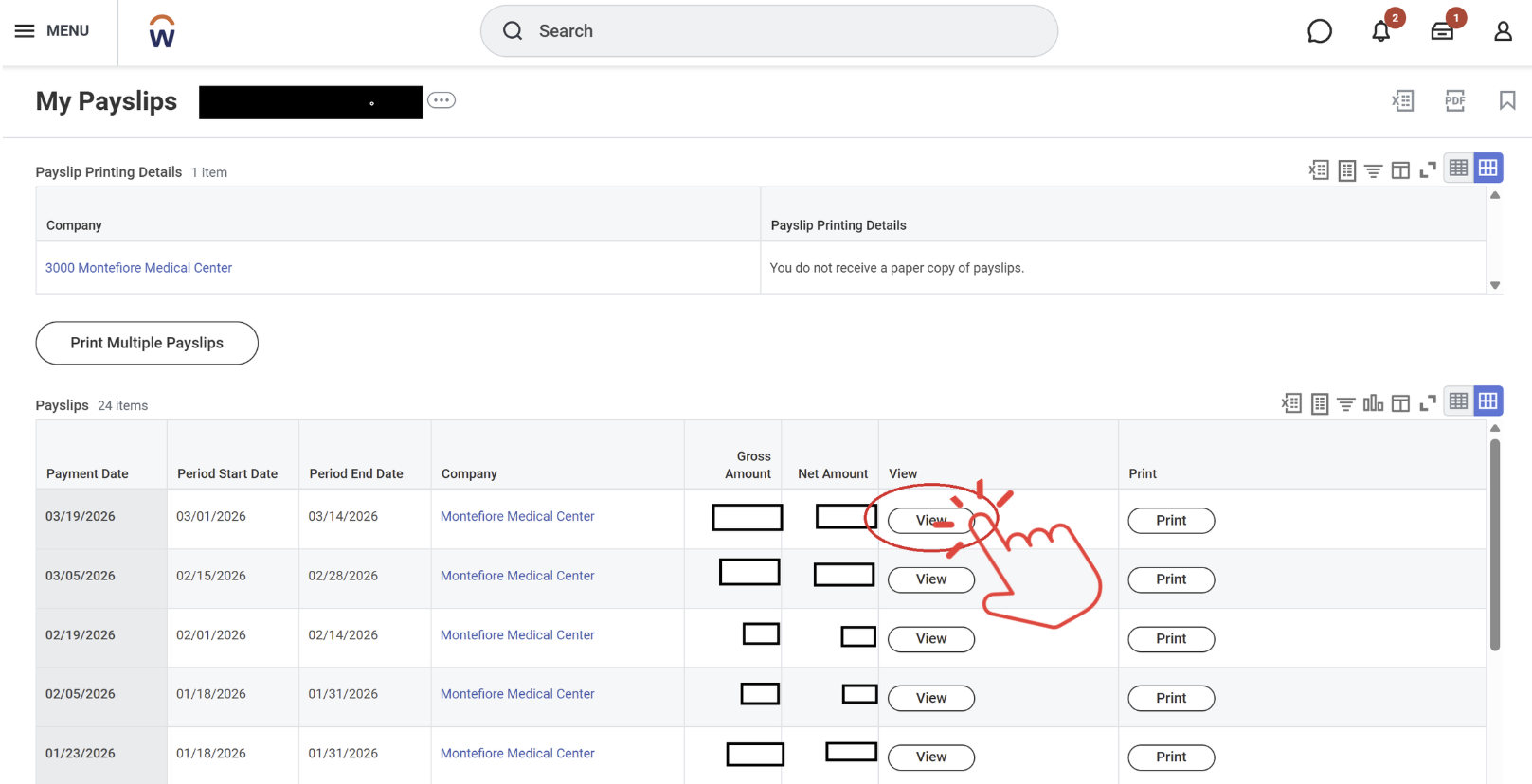
Then you need to locate the “PDF” button on the right corner of the page (please see image below).
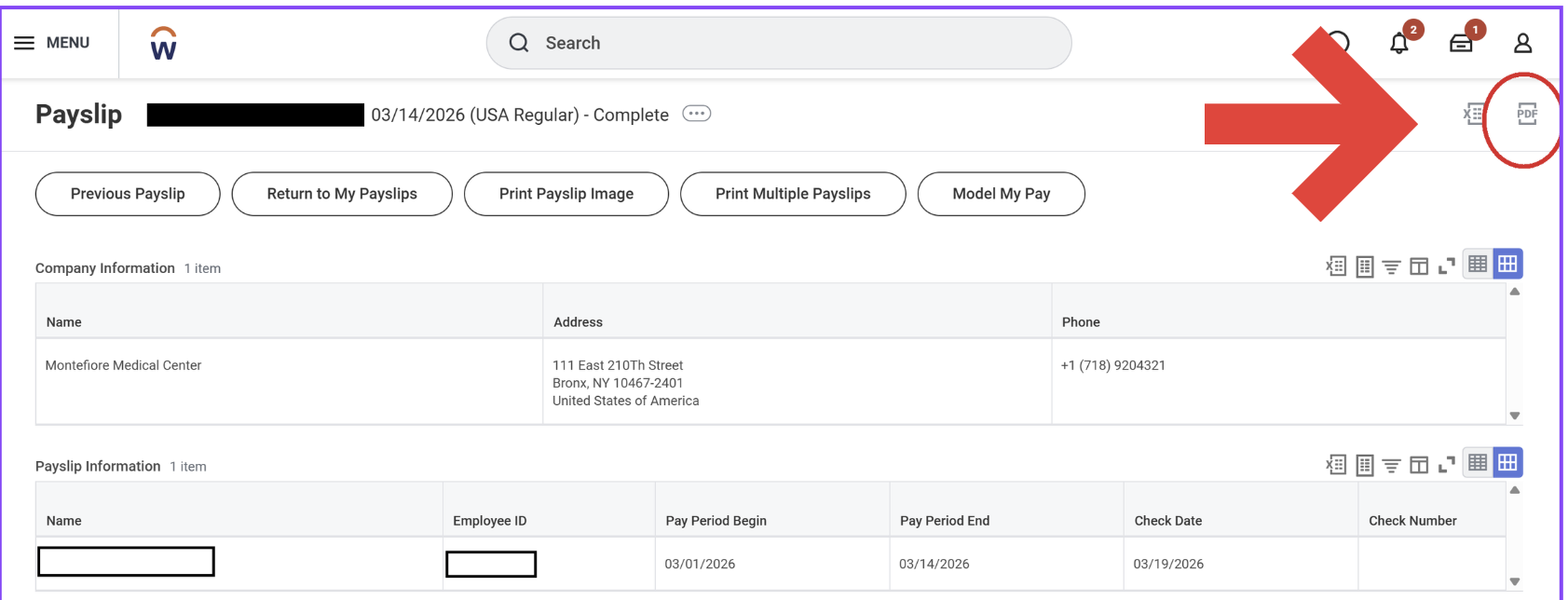
This will create a PDF for you to download for your records!