ServiceNow = The new HR Website
You will need to enable Multi-factor Authentication on your personal device to access these sites outside of the hospital.
If you don't already have access to your Monte stuff at home - You call IT, 718-920-4554, to get multi-factor access (which will let you get into Workday/UKG/email at home)
The main websites you will utilize are: UKG, Workday, and ServiceNow.
UKG: https://montefiore-sso.prd.mykronos.com/wfd/home
Workday: https://wd12.myworkday.com/wday/authgwy/montefiore/login.htmld
ServiceNow: http://Montefiore.Service-Now.com
There are many job aids posted on the HRWS SharePoint page. UPDATE - you can still see previous paystubs. Instructions can be found here.
Information to enter a payroll ticket can be found on this website under “Payroll Issues”
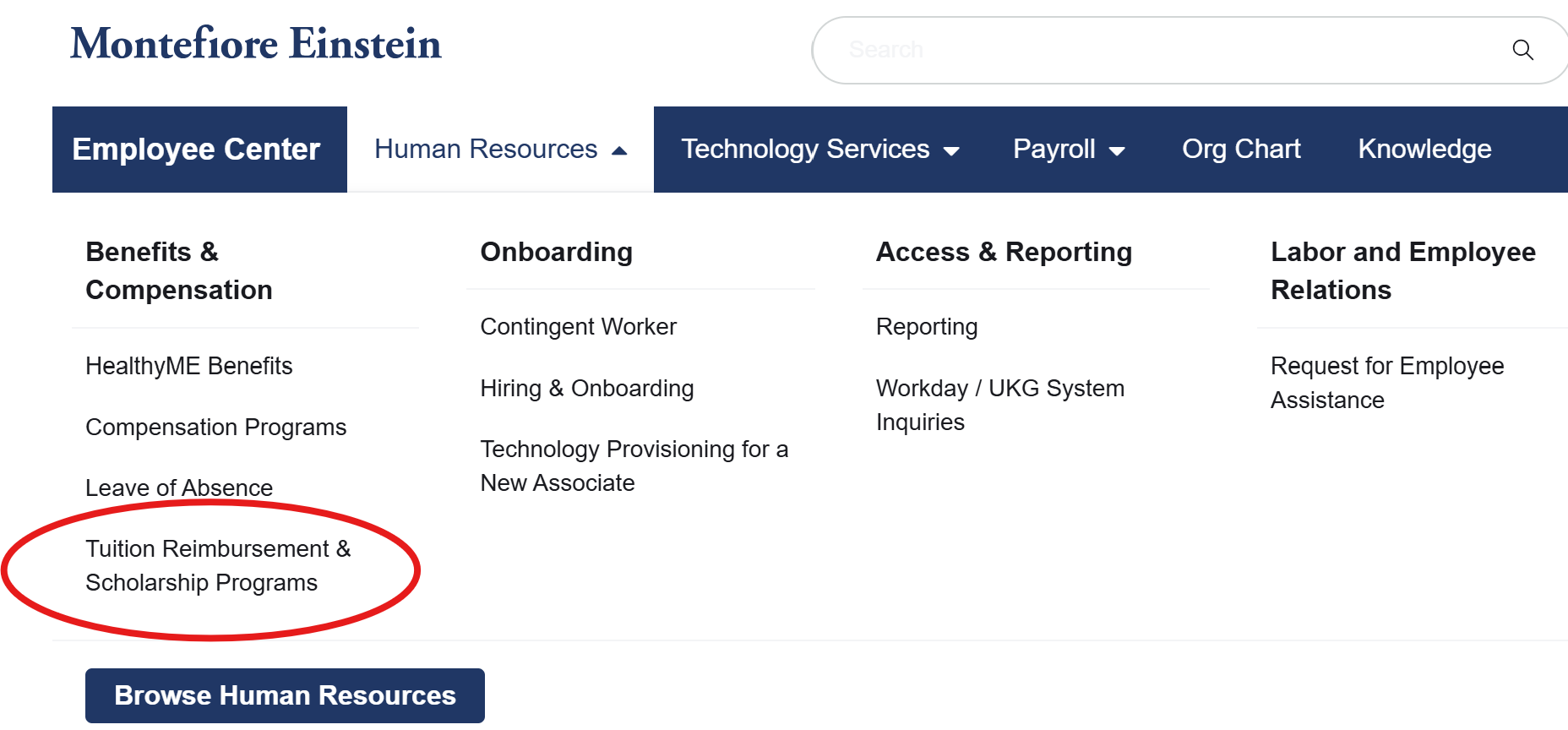
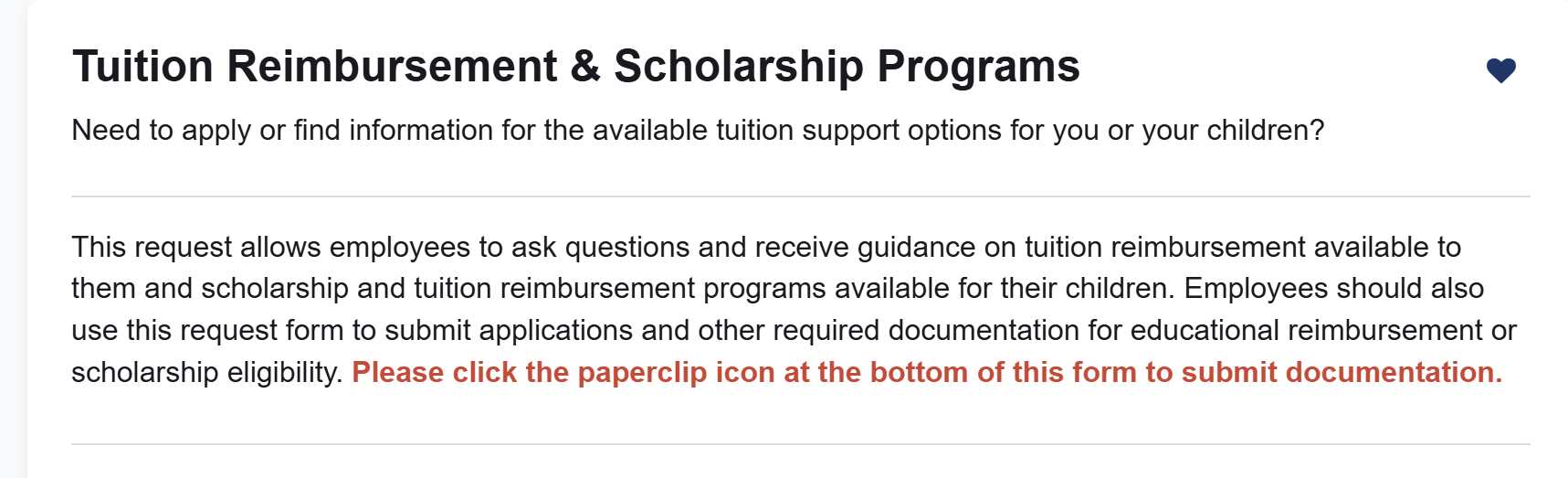
Tuition Reimbursement has been relocated to ServiceNow.
A form must be submitted on ServiceNow. To locate the form, you would look under “Human Resources” —-> “Benefits, & Compensation” —-> “Tuition Reimbursement & Scholarship Programs”
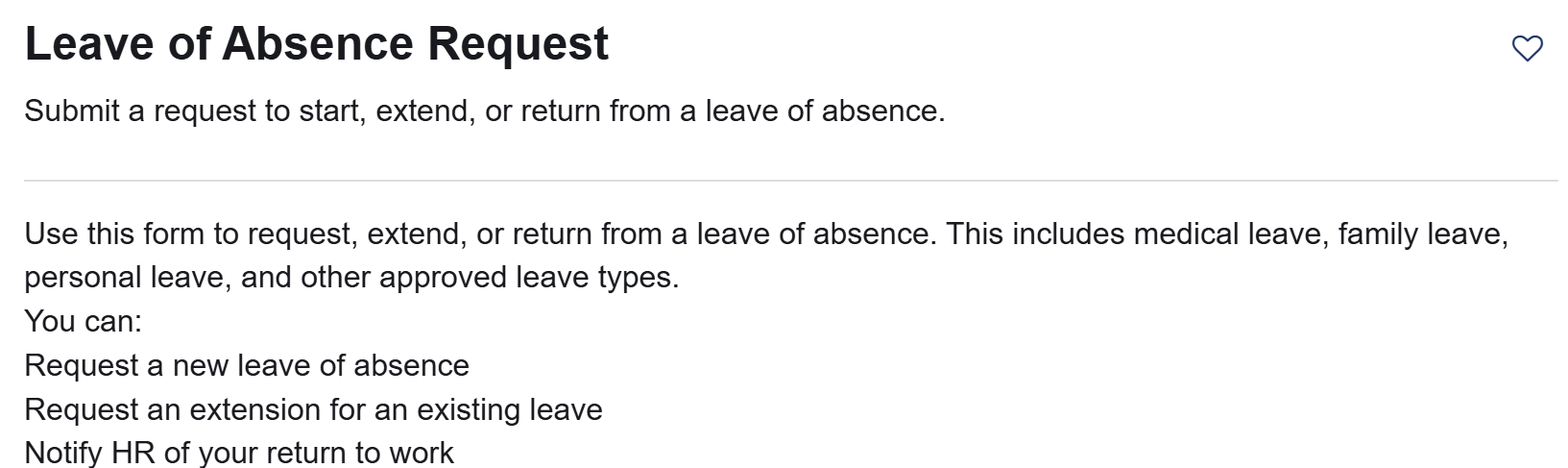
Leave of absence requests are to be submitted through ServiceNow
A form must be submitted on ServiceNow.
To locate the form, you would look under “Human Resources” —-> —-> “Benefits, & Compensation” —-> “Leave of Absence”
To assist in the process for FMLA leaves we are attaching the forms to submit to your provider for verification of FMLA need. Prior to the HR transition these were the forms Central Leave required an employee to submit.
How to Request Your Previous Learning History / Transcript
Follow these steps if you need your learning history from Talent Management:
Go to the Employee Center (AKA - ServiceNow)
Click: Home > Human Resources > Learning & Career Development > Request Technical Support for a Learning System/Platform
Select:
Learning System/Platform: “Workday”
Type of Support: “Report issues”
Fill in:
Request Title: “Transcript Request”
Describe Problem: Use this short request:
I am requesting a copy of my learning transcript for courses completed before July 7, 2025.
Name: [Your Full Name]
EZ ID: [Your EZ ID]
Montefiore Email: [Your Work Email]
YOU CAN STILL VIEW YOUR PREVIOUS PAY STUBS
You need to be logged in on Workday. To access from a computer - instructions are below.
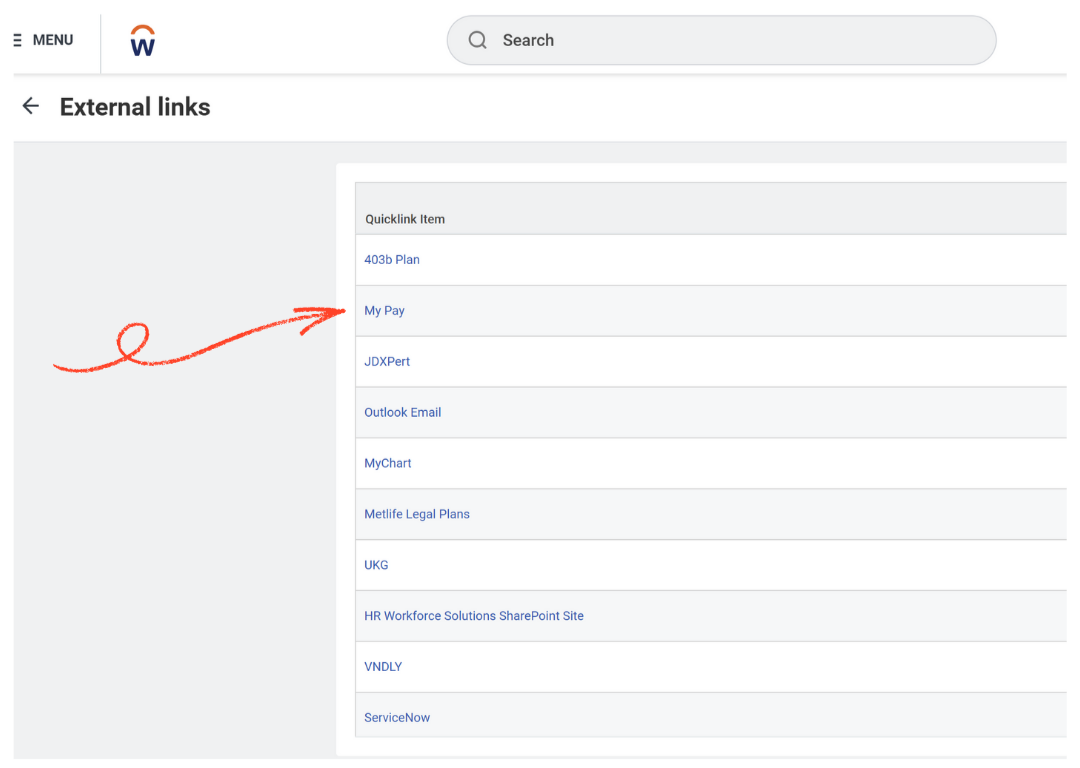
From the Workday homepage, click on the “menu” option. Then click on “External links” as seen below.
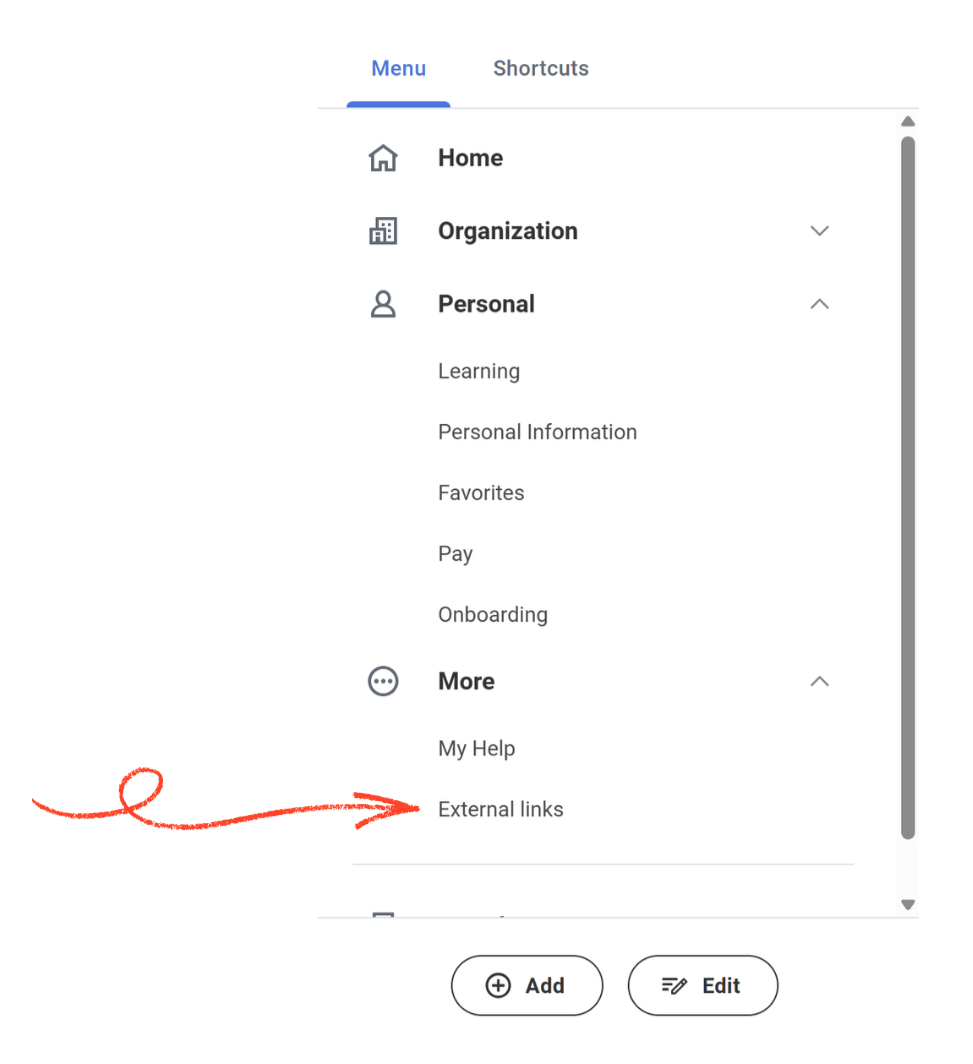
When on the external links page, you will click “My Pay”"